How to Read Your Net Metering Bill in Pakistan – Solar Billing Guide
Switching to solar is one of the smartest decisions you can make for your home or business in Pakistan — but if you’ve ever stared at your net metering bill and felt a little lost, you’re not alone. Many solar consumers in Pakistan, whether they’re connected to IESCO, LESCO, or other distribution companies, find it tricky to decode all those numbers, line items, and technical terms.
A net metering bill is not just a simple electricity bill. It’s a detailed record of how much energy you import from the grid, how much you export through your solar panels, and how many banked units you carry forward for future use. It also reflects your TOU (Time-of-Use) rates, showing the difference between peak and off-peak hours, which can make a big difference to your monthly savings.
Understanding your bill means more than just checking the amount payable. It’s about knowing if your export units are credited correctly, making sure your banked units are carried forward, and verifying that charges like Fuel Price Adjustment (FPA) or Quarterly Tariff Adjustment (QTA) are accurate. In short, learning how to read your net metering bill helps you protect your investment, maximize your savings, and spot any errors before they cost you money.
✅ Use the IESCO bill checker to avoid late payment fees
Understanding Net Metering in Pakistan
At the heart of net metering in Pakistan is a small but powerful device called a bi-directional meter. Unlike a traditional electricity meter that only tracks the power you consume, a bi-directional meter records energy flow in both directions — the units you import from the grid when your solar panels aren’t producing enough, and the units you export back to the grid when your system generates more than you use.
Here’s how it works: during the day, your on-grid solar system powers your home or business. If you produce extra electricity, it flows back to the utility network, and your meter logs it as export units. When your solar system can’t meet your needs — like at night or on cloudy days — you draw power from the grid, which counts as import units.
The beauty of this system lies in export credit. For every unit you send to the grid, you earn credits that can offset the cost of the units you import. If you generate more than you consume over a billing cycle, those extra units become banked units, which carry forward to future months, reducing your bills even further.
All of this operates under the framework set by NEPRA (National Electric Power Regulatory Authority), which regulates tariffs and policies for distributed generation. The actual connection, billing, and maintenance are handled by your DISCO — whether it’s IESCO, LESCO, FESCO, PESCO, MEPCO, or another regional power company.
In short, net metering isn’t just about reducing your electricity bill; it’s about participating in a smarter, greener energy ecosystem. By understanding how bi-directional meters track your import units, export units, and banked units, you can keep your bills accurate and make the most of your solar investment.
✅ Calculate IESCO bill online and understand all fees
Key Sections of Your Net Metering Bill
Your net metering bill may look complicated at first glance, but once you know where to look, it becomes surprisingly easy to read. Each section tells a different part of your energy story — from your identity as a customer to the exact units you’ve imported, exported, and carried forward. Let’s break it down:
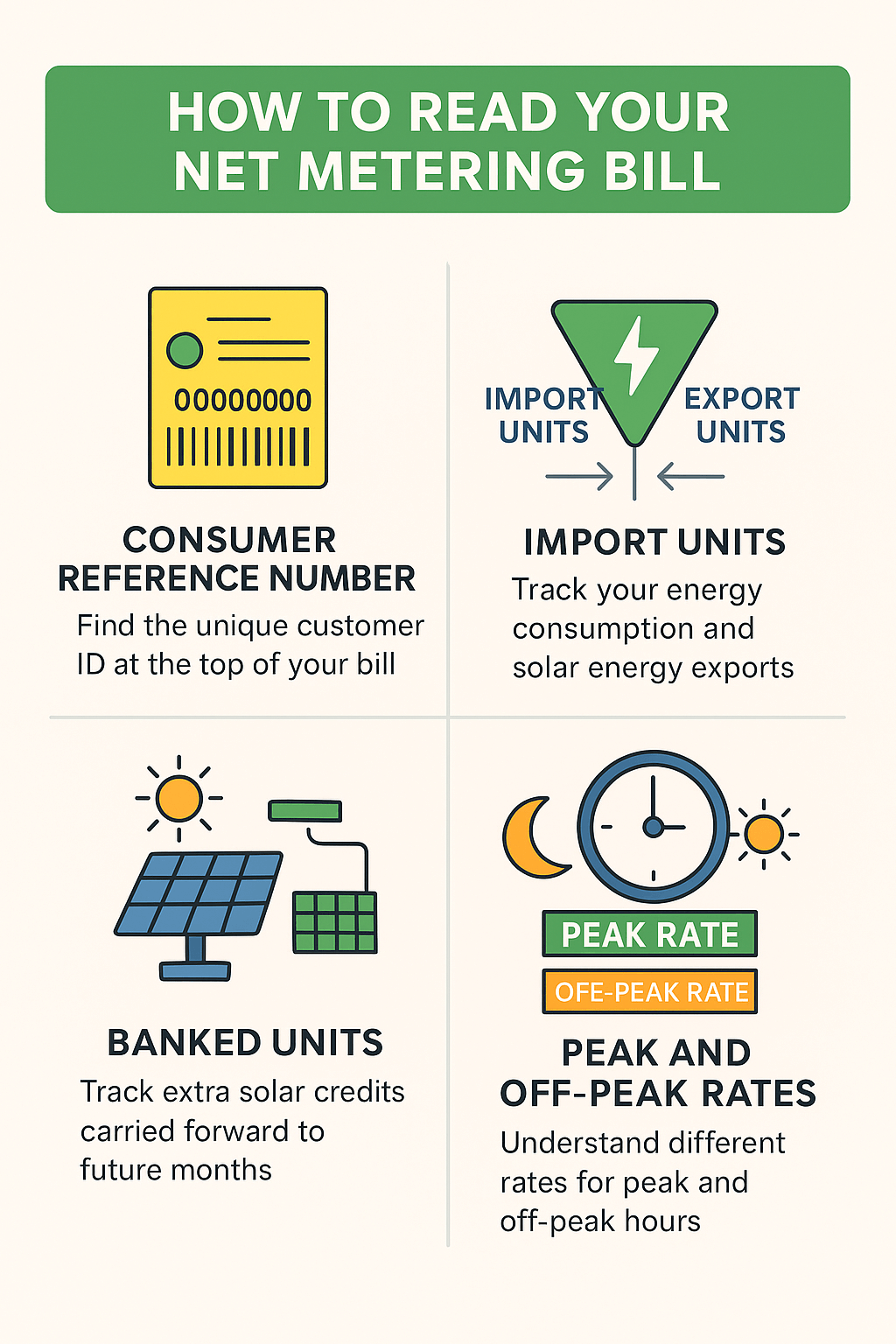
1. Consumer Reference Number (Consumer ID)
Think of this as your account’s fingerprint. The consumer reference number (also called consumer ID) is unique to you and is used by your DISCO — whether it’s IESCO, LESCO, or others — to track your billing history and payments. You’ll usually find it at the top right corner of your bill. You’ll need this number whenever you pay online, check your bill status, or lodge a complaint.
2. Meter Number and Reading Dates
This section identifies your bi-directional meter and the exact meter reading dates for the billing cycle. Knowing these dates helps you match your bill with the readings from your inverter app. This is especially important for catching any meter reading errors before they affect your charges.
3. Import Units vs Export Units
-
Import Units: The electricity you’ve used from the grid when your solar panels couldn’t meet demand (like at night).
-
Export Units: The extra electricity your on-grid solar system sent back to the grid during sunny hours.
These two numbers are at the heart of net metering, and their difference determines how much you pay — or how many credits you earn.
4. Banked Units and Carry-Forward Credits
If your export units exceed your import units, the surplus becomes banked credit. This is shown as banked units on your bill, which roll over to future months. Keeping track of this figure helps you ensure you’re getting the full benefit of your solar export credit and not losing any units due to expiry policies.
Pro Tip: Including a screenshot of a real IESCO net metering bill with these sections highlighted will help readers visually connect each explanation to their own bill, making your guide even more practical and easy to follow.
✅ View your old IESCO bills for audit or proof of residency
Bill Components and Charges Explained
When you look at your net metering bill, you’ll notice that it’s not just about import units and export credits — there’s a list of charges, adjustments, and taxes that make up your total payable amount. Understanding each of these items will help you verify your bill and make sure you’re not paying more than you should.
1. Energy Charges (per kWh)
This is the basic cost of electricity per unit (kWh) you import from the grid. The rate depends on your tariff category (e.g., residential, commercial) and can vary depending on whether the units were consumed during peak or off-peak hours under a TOU (Time-of-Use) tariff.
2. Fuel Price Adjustment (FPA)
The FPA reflects changes in the cost of fuel used for electricity generation. If fuel prices go up, your FPA will increase; if they drop, you may see a reduction. Even with solar, you might still see an FPA if you’ve imported any units during the billing period.
3. Quarterly Tariff Adjustment (QTA)
The QTA is a quarterly revision to electricity tariffs approved by NEPRA to adjust for various operational costs. It’s applied to your bill regardless of whether you use net metering, but it’s usually proportional to your net import units.
4. Taxes & Duties
-
GST on electricity: A government sales tax applied to your bill.
-
Electricity Duty: Provincial tax charged per unit.
-
TV Fee: A small fixed amount collected on behalf of Pakistan Television (PTV).
-
Income Tax: Applicable for certain tariff categories or high consumption levels.
Even if your energy charges are low because of solar exports, these taxes might still appear.
5. Fixed Charges or Service Rent
Some customers pay fixed charges (also called service rent) to cover meter maintenance and grid connection services. This is not linked to your unit consumption — it’s a standard fee charged by your DISCO.
✅ Use our tool to forecast solar power benefits for your home
Time-of-Use (TOU) Peak and Off-Peak Rates
If you’re on a TOU tariff in Pakistan, your electricity isn’t priced the same throughout the day — and that’s important to know when reading your net metering bill. Under this system, your DISCO (like IESCO, LESCO, or FESCO) charges different rates for peak hours and off-peak hours.
Peak hours are times when electricity demand is highest, usually in the evening. These units cost more per kWh, which means any power you import during this period will increase your bill faster. Off-peak hours, on the other hand, are when demand is low (often during the day and late night), and rates are cheaper.
While peak timings can vary slightly by distribution company, here’s a general idea:
-
Peak hours (Pakistan): Typically 6:00 PM – 10:00 PM (IESCO, LESCO, and most other DISCOs).
-
Off-peak hours: All other times outside the peak period.
How Solar Export Affects Peak/Off-Peak Billing
Your bi-directional meter records export and import units separately for both peak and off-peak slots. If your solar panels export electricity during off-peak hours (like midday), those units first offset your off-peak imports. If you happen to generate during peak hours — for example, in late summer afternoons — those units can offset the more expensive peak hour charges.
Understanding this is key to maximizing savings. For instance, you can plan to run heavy appliances like washing machines or water pumps during off-peak hours when rates are lower, and let your solar system take care of most of your daytime needs.
✅ Compare electricity costs before and after peak rate application
How to Calculate Net Payable Amount
One of the best parts of net metering is that you can easily figure out how much you owe — or even find out if the power company owes you. The key is to understand the formula:
Net Units = Import Units − Export Units − Banked Units
Here’s what that means:
-
Import Units → Electricity you took from the grid.
-
Export Units → Electricity you sent back to the grid through your solar system.
-
Banked Units → Extra credits from previous months that you’re carrying forward.
If your export units and banked credits cover all your imports, your net units could be zero — meaning you get a zero bill. Sometimes, you might even end up with a negative bill, which simply means you’ve sent more electricity to the grid than you’ve used. Those extra units will roll over as banked credit for the next month.
Example:
-
Import Units: 300 kWh
-
Export Units: 250 kWh
-
Banked Units: 100 kWh
Net Units = 300 − 250 − 100 = −50 kWh
This means you have 50 extra units going into your banked credit for future savings.
Adjustments When Export Exceeds Import
If your solar generation is higher than your consumption, your export credit offsets not just your energy charges, but also reduces the impact of costly peak hour units. However, keep in mind that certain charges like GST, FPA, or fixed charges may still apply even if your net units are zero.
Pro Tip: Use your inverter app or meter reading to double-check your net payable amount. This is a great way to catch any billing errors early and make sure you’re getting the maximum solar savings possible.
✅ Estimate electrical load to plan your phase wiring correctly
Common Problems and How to Spot Them
Even though net metering is designed to be fair and accurate, billing errors can still happen. If you don’t regularly check your net metering bill, you might miss important issues that could reduce your export credit or increase your payable amount. Here are some of the most common problems — and how to catch them early.
1. Missing Banked Units
Your banked units are the surplus credits you carry forward from previous months. If they suddenly disappear from your bill without being used, that’s a red flag. Sometimes, banked credits may not be added due to a system error or policy misunderstanding. Always compare your latest bill with your previous one to confirm your banked credit is intact.
2. Wrong Export Credit
If your export units are not fully credited, your bill will show a higher net payable amount than it should. This can happen due to incorrect meter readings or data entry errors. Compare the export reading on your bill with the reading from your bi-directional meter or inverter app to ensure accuracy.
3. Mismatch Between Inverter Readings and Bill
Your solar inverter app shows real-time data about your generation and exports. If these numbers differ significantly from what’s on your bill, you might have a meter calibration issue or an incorrect reading recorded by your DISCO. Keeping monthly screenshots of your inverter readings can help you in case you need to dispute a net metering bill.
4. Incorrect Peak/Off-Peak Charges
If you’re on a TOU tariff, your peak billing should only apply to units used during the peak hours set by your DISCO. If you notice higher-than-expected peak hour charges, verify the split between peak and off-peak units on your bill. Mistakes here can quickly add up to extra costs.
How to Verify Your Bill
Checking your net metering bill every month isn’t just about seeing how much you owe — it’s about making sure every reading, credit, and calculation is correct. A quick bill verification can save you from paying extra or losing valuable banked units. Here’s how to do it:
1. Compare Bill Meter Readings with Inverter App Data
Your bi-directional meter and solar inverter both record your import units and export units. At the end of each billing cycle, match the figures on your bill with the data from your inverter app. If there’s a large difference, it could be due to a meter reading error or data entry issue at your DISCO.
2. Check the MF (Meter Multiplier)
The Meter Multiplier (MF) is used to adjust readings for meters that don’t directly display total units. If the MF on your bill is wrong — even slightly — it can significantly affect your net payable amount. Always make sure it matches the value printed on your meter or in your interconnection agreement.
3. Track Carry-Forward Banked Units Month to Month
Your banked units are your safety net, reducing future bills when your solar production drops. Compare your carry-forward balance on the current bill with last month’s balance, adjusting for any units you’ve used. If the numbers don’t add up, you might be losing credits that should be yours.
Steps to Dispute or Correct Errors
Even with the best billing systems, net metering bills can sometimes have mistakes — missing export credits, wrong peak/off-peak charges, or incorrect banked unit balances. If you spot an issue, here’s how to take action and get it resolved quickly:
1. Contact Your DISCO Customer Care Center
The first step is to reach out to your IESCO customer service center (or your relevant DISCO, such as LESCO, MEPCO, or GEPCO). Visit your nearest branch in person and explain the problem clearly, mentioning your consumer reference number and the specific section of the bill in question.
2. Use Helpline Numbers and Online Portals
If you can’t visit in person, use the official IESCO complaint number or your DISCO helpline. Many distribution companies now offer online electricity bill dispute forms through their websites or mobile apps. Submitting your complaint digitally saves time and allows you to track the status of your case.
3. Keep Meter Reading Photos as Proof
One of the strongest pieces of evidence in the electricity bill dispute process is a photo of your meter readings — both import units and export units — taken on the last day of the billing cycle. This helps prove your claim if your inverter reading vs utility reading doesn’t match.
Pro Tip: Always ask for a complaint reference number when you report an issue. This ensures your case is officially logged and makes follow-up much easier.
Tips to Maximize Savings with Net Metering
If you’ve invested in a solar system with net metering, you want every unit of your generated electricity to count. A little smart planning can help you save money with solar and get the most out of your investment.
1. Use Heavy Appliances During Solar Production Hours
Your solar panels produce the most electricity during daylight — usually between 9 AM and 4 PM. Run power-hungry appliances like washing machines, irons, or water pumps during these hours. This way, you consume your solar-generated electricity directly, avoiding drawing units from the grid.
2. Monitor Peak Hour Usage
In TOU (Time-of-Use) billing, peak hours in Pakistan often come in the evening, when solar generation drops. Try to avoid using high-load devices during peak hours to reduce expensive peak unit charges. Shifting these tasks to off-peak times can noticeably lower your bill.
3. Regularly Check Banked Unit Expiry Policy
If your solar system produces more electricity than you use, the extra gets stored as banked units. But these units don’t last forever — each DISCO has its own banked unit expiry rules. Keep an eye on your balance so you use your credits before they expire and avoid losing valuable savings.
FAQs
1. What are the export and import units on my bill?
On your net metering bill, export units are the electricity your solar system sends back to the grid, while import units are the electricity you take from the grid when your solar production isn’t enough. Your net payable amount is calculated by subtracting export units (and any banked units) from your import units.
2. How are banked units calculated in Pakistan?
Banked units are extra solar-generated units you exported to the grid but didn’t use in the same month. In Pakistan, these are carried forward to the next month and adjusted against future electricity consumption. Your bill will show these under banked unit balance, which is updated every month.
3. Why do I still have a bill even if I export more units?
Even if your export units are higher than your import units, you may still have to pay fixed charges, FPA (Fuel Price Adjustment), taxes, and duties like GST, electricity duty, and TV fee. These are non-unit-based costs that apply regardless of how much solar power you generate.
4. Do banked units expire?
Yes, in most cases. Each DISCO in Pakistan (like IESCO, LESCO, MEPCO) has its own banked unit expiry policy. Typically, unused banked units are cleared at the end of the fiscal year or a defined period, so it’s important to track your balance and use them before they expire.
5. How is FPA calculated for net metering?
The Fuel Price Adjustment (FPA) is calculated on your net imported units — meaning after your exports and banked units are adjusted. The rate changes every month based on fuel prices, and it’s shown as a separate line item in your bill.
Conclusion
Understanding your net metering bill isn’t just about reading numbers — it’s about knowing exactly how your solar power system is performing and how your export credits are being applied. Each section of the bill, from import and export units to banked unit balances, tells a part of the story of your energy usage and savings.
By regularly checking your bill, comparing it with your inverter data, and keeping an eye on export credit adjustments, you can avoid billing errors and ensure you get the maximum benefit from your solar investment.
Remember, a quick monthly review of your bill can save you from unnoticed discrepancies, help you track your banked units before they expire, and keep your solar savings on track. Whether you’re in IESCO, LESCO, MEPCO, or any other DISCO region in Pakistan, these simple net metering tips will help you stay in control of your energy costs.